Raya Style Studio Guide: Dress Aisyah and Safwan and Earn Every Star
Raya Style Studio is a cheerful Hari Raya dress-up game. You get Aisyah and her little brother Safwan ready for Raya morning, the open house and the family photo, and every wish from the family that you meet earns a star. This guide explains the controls, the stars, the unlocks and a few tricks for a perfect photo.
By Zaib · Updated 25 October 2026
What is Raya Style Studio?
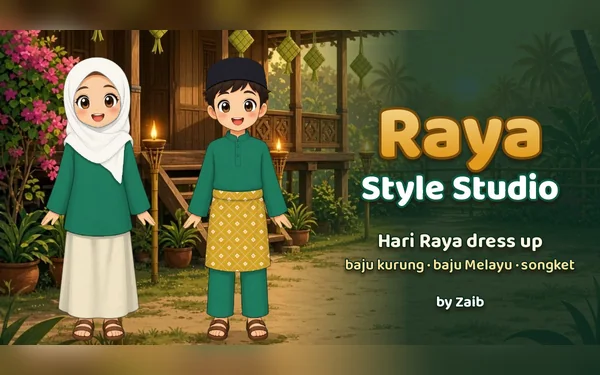
Raya Style Studio is a dress-up game for Hari Raya. Aisyah and her little brother Safwan are getting ready for Raya, and the whole family has ideas about what they should wear. You choose their Raya styles, colours and patterns, add something for them to hold, pick a place for the picture and take the photo.
There is no timer and nothing to lose. Stars are earned only by meeting the family's wishes, and there is nothing to buy with real money. Your stars, outfits and photos are saved on your device.
How to play
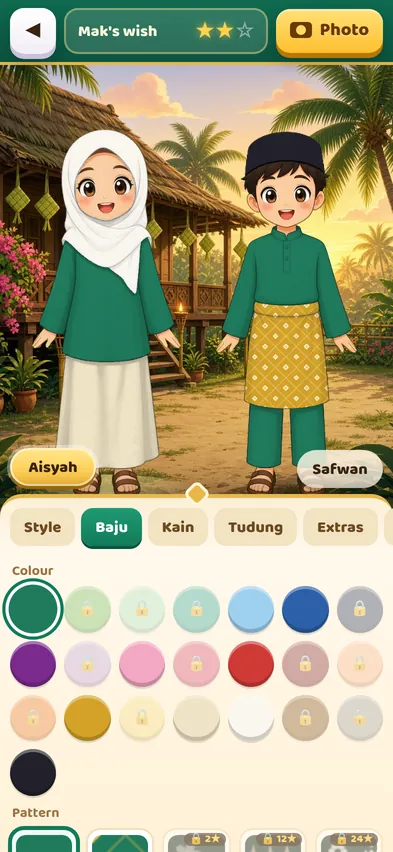
- Choose who to dress. Tap the Aisyah or Safwan button at the bottom of the picture, just under the two of them.
- Pick a tab. Style changes the whole outfit, and tabs like Baju, Kain, Tudung, Trousers, Songkok and Sampin change one part.
- Tap a colour or pattern. The clothes change straight away, with a little sparkle.
- Add the extras. The Extras tab has things to hold, like a ketupat or a pelita lamp, plus the kitten, a brooch for Aisyah and the Sedondon button. The Place tab picks the photo backdrop.
- Take the photo. Tap Photo when you are happy. The photo shows how many stars you earned.

Raya requests and stars
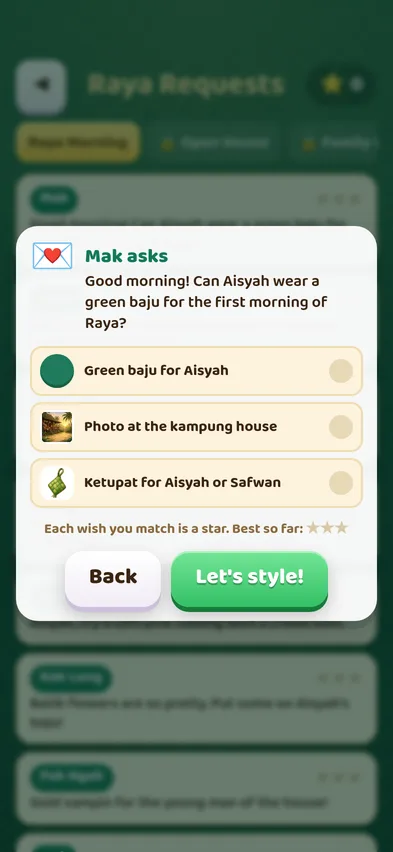
On the title screen, tap Raya Requests. Each card is a wish from a family member, such as Mak, Ayah, Nenek, Atuk, Mak Long or Pak Ngah, and each request has three wishes, for example "a green baju for Aisyah", "the kampung house" and "hold a ketupat". Every wish you meet is one star, so a request gives up to three stars. Every photo earns at least one star, even if no wish is met yet.
While you are styling, tap the wish card at the top of the screen to see the list again. A tick shows each wish that is already met. You can play a request again any time to get the stars you missed, and only your best result is kept.
There are 24 requests in three chapters:
- Raya Morning (8 requests): open from the start.
- Open House (8 requests): opens at 12 stars.
- Family Photo (8 requests): opens at 30 stars.
That makes 72 stars in all.
What opens with your stars
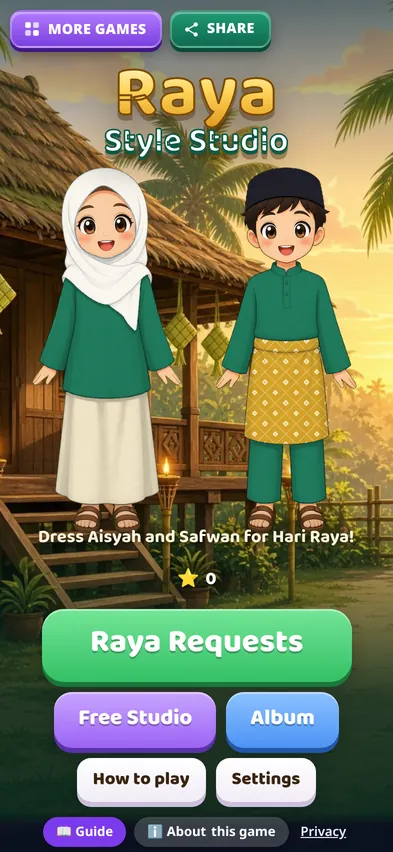
Stars also open new things to wear. You start with baju kurung for Aisyah, a cekak musang baju Melayu with a songkok for Safwan, ten colours, plain and songket patterns, the kampung house and the photo studio. Then, as your star total grows:
- New styles: kurung with frills, the teluk belanga shirt, kebaya labuh, the tengkolok, a long tudung labuh and a kopiah.
- New patterns: polka dots, batik flowers, checks, pucuk rebung, lace flowers and stripes.
- New places: the open house, Nenek's garden, the masjid in the morning and Raya night.
- New extras: the pelita lamp, a kuih basket, a bunga raya, a Raya packet, the kitten, a brooch and a handbag.
- More colours, up to 22, from emerald and teal to maroon and gold.
A few wishes ask for something you open with stars along the way. In Raya Morning, Kak Long's batik flowers open at 2 stars and the pelita lamp for Mak's red and gold look opens at 5 stars. If a wish is still locked, play other requests first and come back: you can play any request again, and every request can get three stars in the end. A locked button shows a small lock and how many stars it needs.
What does sedondon mean?
Sedondon is a Malay Raya tradition where the whole family wears the same colour. In the game, a sedondon wish is met when Aisyah's baju and Safwan's baju are the same colour, or two shades of the same colour, like emerald and leaf green. The quick way is the Sedondon button in the Extras tab: it gives the other child the same baju colour and pattern in one tap.
The Free Studio and your album
Tap Free Studio on the title screen to dress Aisyah and Safwan any way you like, with no wishes to follow. Tap Surprise me for a fresh random look, then change one piece at a time. Every photo you take goes into your Album, which keeps your 12 newest photos. Open the album from the title screen to look at them again or remove one.
Tips for three stars
- Read all three wishes first. Some wishes are about Aisyah, some about Safwan and some about both or the place.
- Change the style before the colours. A new style can add or remove parts, like the songkok or the sampin, so choose it first.
- Check whose clothes a wish means. "A gold sampin" is Safwan's, "a soft pink tudung" is Aisyah's.
- Use the Sedondon button last. Set the colour on one child, then tap Sedondon so both match.
- Do not forget the place and the extras. Many wishes ask for a backdrop, the kitten or something to hold.
- Missed a star? Play the request again. Your best result is the one that counts.
Is Raya Style Studio good for children?
Yes. It was made with younger players in mind: big buttons, short sentences, no timer and no way to fail. There is no chat, no ads during play and nothing to buy. It is also a gentle way to learn the names of Raya clothes such as baju kurung, baju Melayu, sampin, songkok and songket.
Common questions
Does it work on phones? Yes. Raya Style Studio is made for phones first and also works on tablets and computers, upright or sideways.
Is my progress saved? Yes, on the device you play on. Your stars, outfits, settings and album photos are kept.
Can I start again? Yes. Open Settings and tap Reset to clear your stars and photos and begin fresh.