Shuttle Smash Guide: Swipe Shots, Long Rallies and Power Shots
Shuttle Smash is badminton on a phone. Your player runs to the shuttle by itself, so all you decide is where and how hard to hit. Our first rally went on for half a minute before we won the point, and the crowd let us know about it.
By Zaib · Updated 20 October 2026 · Free to play, no download
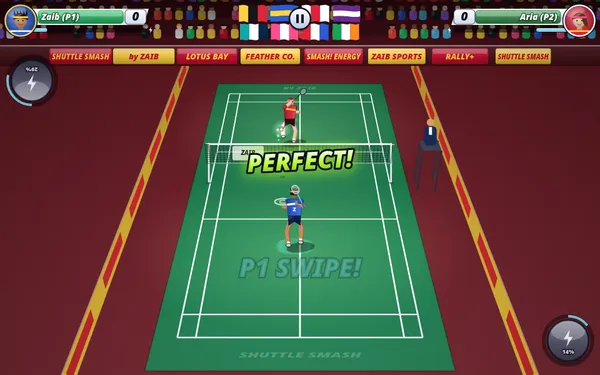
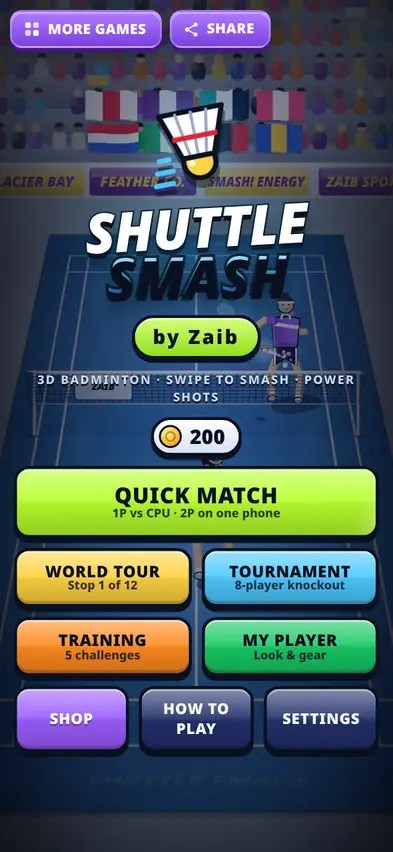
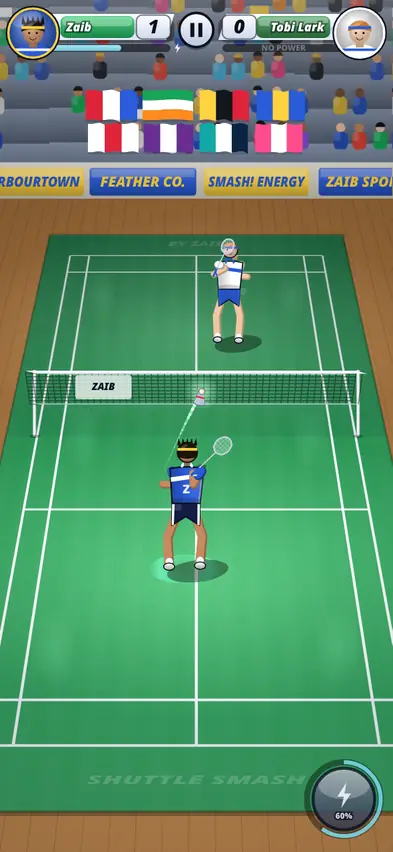
Shuttle Smash puts you at the near end of an indoor court, with flags hanging over a packed crowd and sponsor boards along the side. The court is drawn in 3D perspective, and the shuttlecock behaves like the real thing: it shoots off the racket, slows down in the air and tumbles as it falls.
The controls are friendly. Your player moves automatically, so you never have to chase the shuttle. You only choose the shot.
Our first match
We picked Quick Match, 1 player against the computer on Easy, and played against Tobi Lark. To start simply we used tap for an automatic shot every time the shuttle came over.
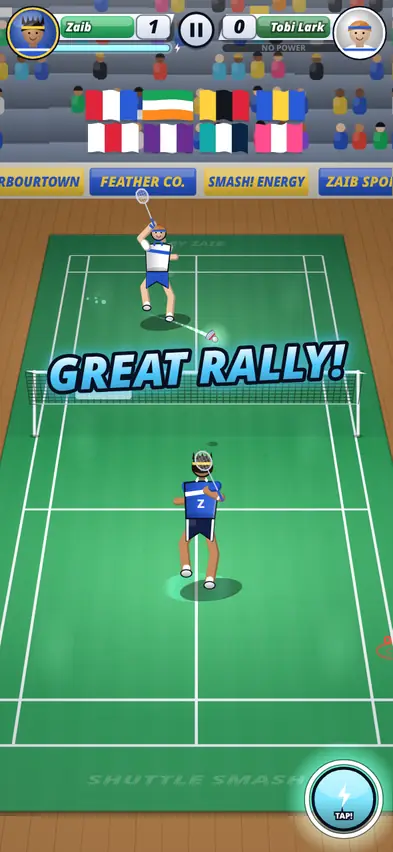
The rally went on and on: across the net, back to the baseline, short over the net and back again. Our power meter filled up, 60%, then full, and the power button began to glow with "TAP!". The commentator called out "GREAT RALLY!" and we finally took the point: 1-0.
What we learned: automatic shots keep the shuttle in play, but they rarely win points. To finish a rally you need to choose a shot, either a sharp drop when the rival is at the back or a smash when the shuttle is high.
How to hit
Swipe to hit. The direction of your swipe sets the aim. The length and speed set the power.
| Swipe | Shot | When to use it |
|---|---|---|
| Short | Drop or net shot | The rival is at the back of the court |
| Long | Clear or lob | You need time, or the rival is at the net |
| Long, on a high shuttle | Jump smash | The shuttle is floating high on your side |
| Tap | Automatic shot | You just want to keep the rally going |
On a keyboard, J, K and L hit soft, medium and hard, the Left and Right arrows aim, Space plays an automatic shot and E fires a power shot.
Winning more points
- Move the rival around. A clear to the back followed by a drop to the front makes them run the whole court.
- Smash high shuttles. A long swipe on a high shuttle turns into a jump smash.
- Aim for the sidelines, not straight at the rival.
- Use short swipes for drops. Short swipes play soft shots that land near the net.
- Save power shots for big points, such as 19-19.
Power shots
The power button fills during rallies. When it glows, tap it (or press E) to use your power shot:
| Power shot | Price | What it does |
|---|---|---|
| Thunder Smash | Free | A lightning-fast smash; the rival is stunned for a moment |
| Fire Clear | 600 | A blazing clear that pins the rival to the back line |
| Phantom Drop | 900 | The shuttle turns invisible and drops tight over the net |
| Tornado Shot | 1,300 | A whirling drive that swerves sideways in mid-air |
Scoring
Every rally wins a point, whoever served. A standard game goes to 21, and you must win by 2, up to a cap of 30. Quick Match also offers shorter games to 11 or 15, and a choice of 1 game or best of 3.
Modes
- Quick Match: against the computer on Easy, Normal, Hard or Pro, or 2 players on the same phone. In two-player mode, sit facing each other: player 1 swipes on the bottom half and player 2 on the top half.
- World Tour: travel from stop to stop against made-up rivals, at day and night venues.
- Tournament: the 8-player Zaib Open knockout.
- Training: short challenges with a coach. Ideal for learning drops and smashes.
There are slow-motion replays of big points, commentator callouts and crowd reactions throughout.
My Player and the Shop
Coins buy stat upgrades, outfits and rackets. Rackets run from the free Starter Wood to Carbon Blade (400), Volt Striker (900), Jade Whisper (1,300), Phoenix Flame (1,900) and Galaxy Nova (2,800). Outfits range from Court Classic (free) to Sunset Blaze (2,000).
What changed after testing
Saves are now checked when they load so a damaged save cannot break the game. The match record display was made more compact, and the share button was moved so it fits neatly on the title screen when the phone is sideways.
FAQ
Do I have to move my player?
No. Your player runs to the shuttle automatically.
Can two people play on one phone?
Yes. Choose 2 PLAYERS SAME PHONE in Quick Match and sit facing each other.
How do I smash?
Make a long swipe when the shuttle is high on your side.
Is my progress saved?
Yes, on your device.