Goal Frenzy Guide: Shooting, Penalties, Power Shots and Every Mode
Goal Frenzy is fast arcade football on a phone. Matches are short, shots curl, and a power meter lets you fire off special shots like the Fire Shot or the Banana Curve. We started with a penalty shootout and lost our first kick. Here is what we learned.
By Zaib · Updated 20 October 2026 · Free to play, no download
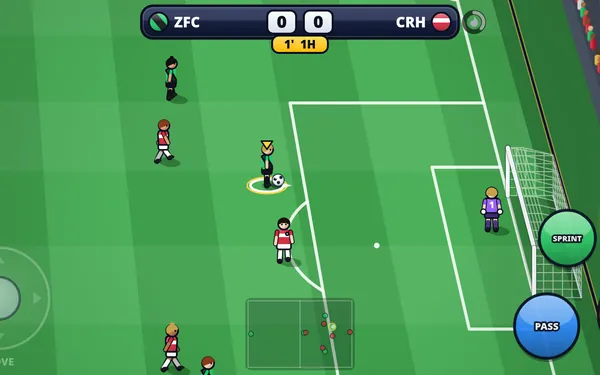
Goal Frenzy has a big, noisy stadium with a crowd that fills the stands, advertising boards around the pitch, and players who sprint, slide and smash the ball. It is not a slow simulation: matches can last as little as 2 minutes, and special shots set the ball on fire.
Our first penalty shootout
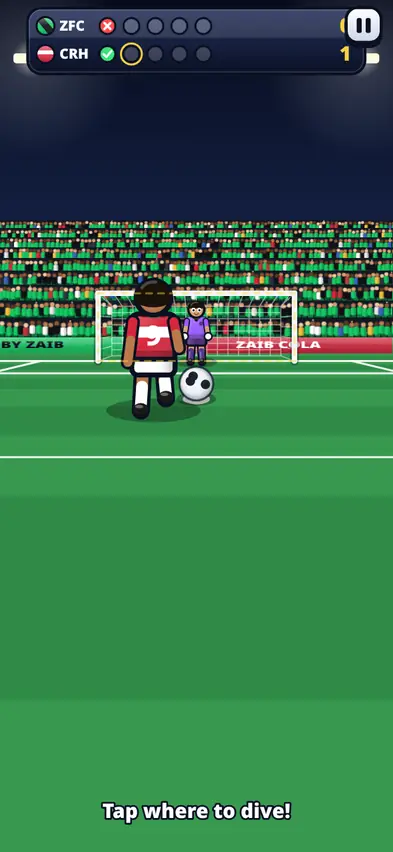
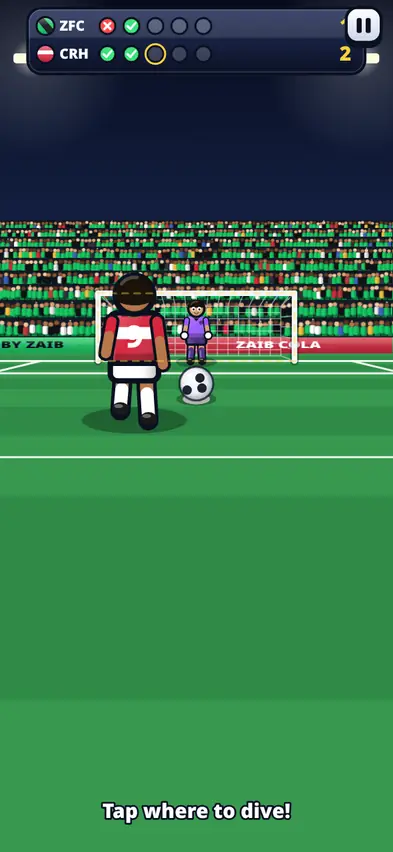
We started with the Penalty Shootout on Easy, our Zaib FC against the computer's Crimson Harbor. Crimson Harbor's ratings were much higher than ours (an average of 83 against our 68), so we were the underdogs.
The computer went first and scored. Then it was our turn: "Swipe up to shoot!" We swiped hard up and to the right, aiming for the top corner, and missed. The scoreboard showed a red cross next to our name.
Next we were in goal: "Tap where to dive!" We guessed left, and they scored again. For our second kick we swiped up and slightly left, a little lower, and it went in. 0-1 became 1-2. The lesson: aiming right at the corner is risky. A firm swipe just inside the post is safer.
Match controls
| Action | Phone | Keyboard |
|---|---|---|
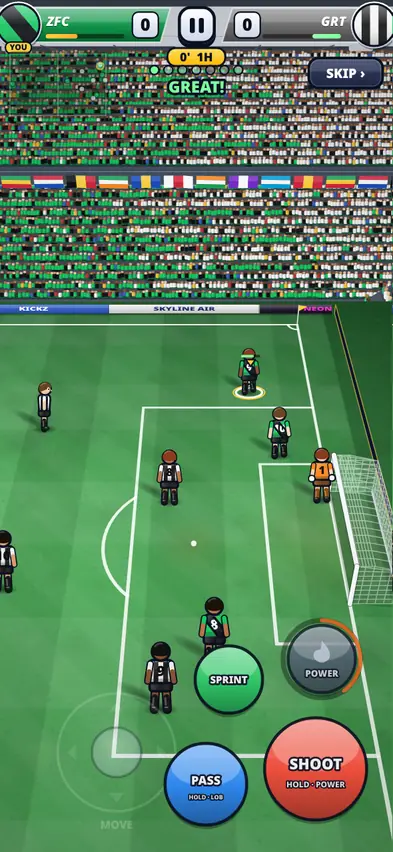
| Move | Floating joystick on the left | Arrows or WASD |
| Shoot / slide tackle | SHOOT button (hold for power, swipe across to curl) | Space or J |
| Pass / switch player | PASS button (hold for a lob or through ball) | X or K |
| Sprint | Hold SPRINT (uses stamina) | Shift or L |
| Power shot | POWER button when the meter is full | E or Q |
| Pause | Pause button | P or Esc |
Without the ball, SHOOT becomes SLIDE and PASS becomes SWITCH, so the same two buttons cover attacking and defending.
There is an interactive training tutorial when you start your first match, with tips such as "Left thumb: move. SHOOT (hold = power). PASS (hold = lob)."
Scoring tips
- Get closer before you shoot. It gives the keeper less time to react.
- Tap SHOOT for a placed shot, hold it for power.
- Swipe across the SHOOT button to curl the ball around the keeper.
- Pass more than you think. A quick pass to a teammate in space beats running into defenders.
- Save Sprint for breakaways. It uses stamina, and a tired player is slow.
- Use POWER when you are near goal. It is wasted from your own half.
Penalty tips
- Shooting: swipe up toward the goal. Angle the swipe to choose a side. Aim just inside the post, not the very corner.
- Saving: tap where you want to dive. Try not to dive the same way every time.
The seven powers
Fill the power meter during a match, then press POWER:
| Power | Price | What it does |
|---|---|---|
| Fire Shot | Free | A blazing rocket of a shot. Keepers who touch it get knocked flat. |
| Banana Curve | 500 | A wicked swerving shot that bends around the keeper |
| Lightning Dash | 750 | Electric speed for a few seconds; nobody can tackle you |
| Freeze Blast | 1,000 | Freezes nearby opponents and knocks the ball loose |
| Giant Keeper | 1,200 | Your keeper grows huge for 10 seconds |
| Phantom Shot | 1,500 | The ball vanishes mid-flight, so keepers react late |
| Sky Meteor | 1,900 | Rockets into the sky, then smashes down under the bar |
Modes
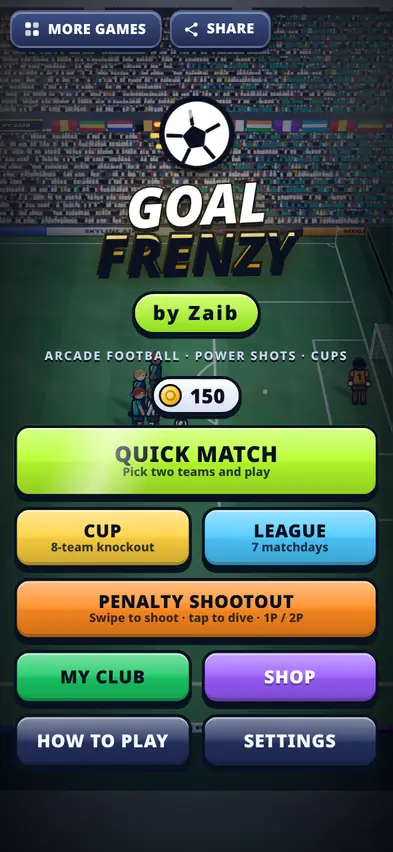
- Quick Match: pick two teams, a difficulty (Easy, Normal, Hard or Legend), a length of 2, 3, 5 or 8 minutes, and day, dusk or night.
- Cup: the 8-team Zaib Cup knockout.
- League: a 7-matchday season.
- Penalty Shootout: straight to penalties, against the computer or a friend.
- 2 players on one device: each player gets half of the screen. On a keyboard, player 1 uses WASD and player 2 uses the arrows.
Matches can be 5-a-side or 7-a-side, and there are 16 made-up clubs plus your own.
My Club and the Shop
In My Club you name your team and choose kit and badge colours. Coins from matches buy powers and squad upgrades in the Shop: Pace, Shooting, Passing, Defending, Goalkeeper and Stamina. Our Zaib FC started at about 68 in every rating, so upgrades make a real difference against the stronger clubs.
What changed after testing
Updates added a share button on the title screen and later moved it so it sits neatly on phones held sideways. Earlier versions also refined the game's look and controls.
FAQ
Can two people play on one phone?
Yes. Choose 2 PLAYERS same device in Quick Match or Penalty Shootout. Each player uses half of the screen.
How do I curl the ball?
Swipe across the SHOOT button as you shoot.
Which difficulty should I start on?
Easy, then move up to Normal once you are winning comfortably.
Is my club saved?
Yes, your club, coins and upgrades are saved on your device.