Neon Dash Guide: Timing Your Jumps Through 200 Neon Levels
Neon Dash is a one-button runner set in a glowing synthwave city. Your cube runs on its own and you only decide when to jump. That sounds easy until the spikes start coming in threes. Here is what we learned from crashing, a lot.
By Zaib · Updated 20 October 2026 · Free to play, no download
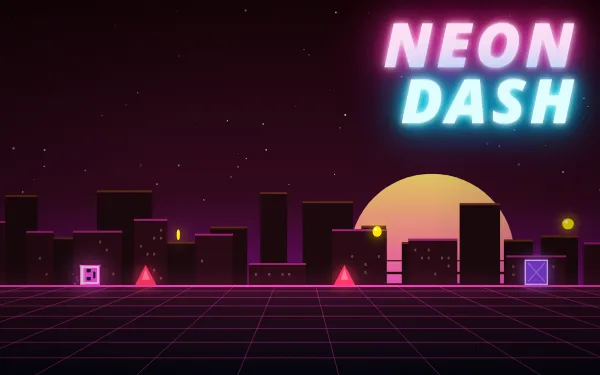
Neon Dash has one control. Tap, and your cube jumps. Everything else, the speed, the music, the scrolling city of neon towers and blimps, happens on its own. The challenge is all in the timing, and because every level has a fixed layout, each try teaches you something you can use on the next one.
Our first runs on Neon Pulse
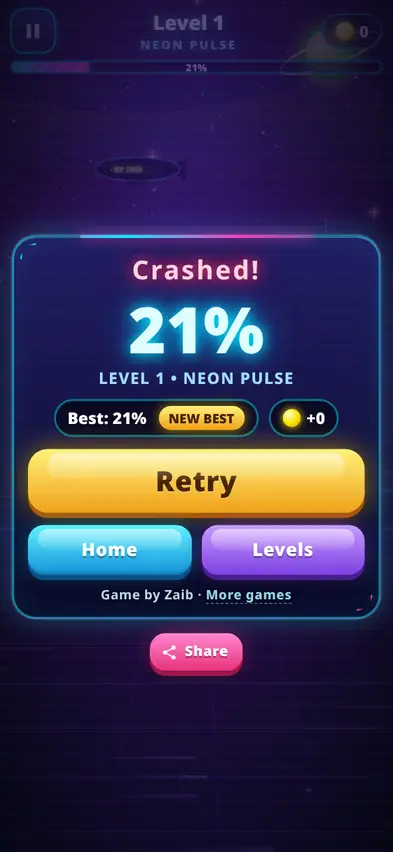
Level 1 is called Neon Pulse, after its music track. On our first go we did not tap at all, just to see how far the cube would get by itself. It hit the first pink spike and crashed at 21%. The results card says "Crashed!" in big letters, shows your percentage and your best, and has a large Retry button, so it is back to the start in a second.
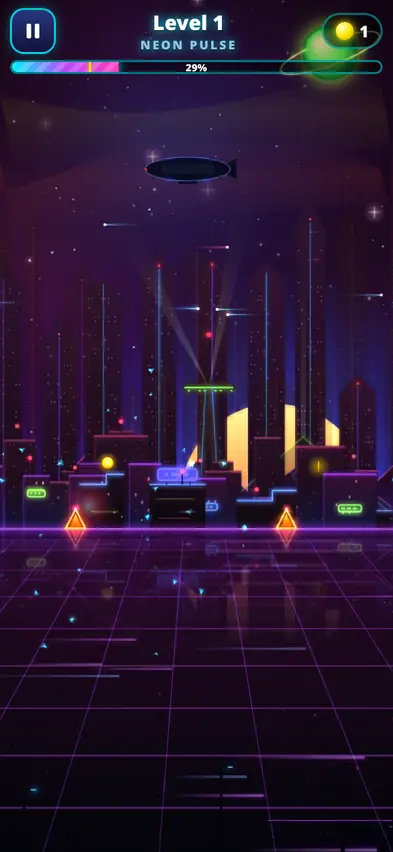
Next we tried holding the jump button instead of tapping. Holding makes the cube jump again the moment it lands, and that carried us further, to 29% and our first coin. A small yellow mark then appeared on the progress bar at the top, showing our best run. It is a nice touch: on the next attempt you can see exactly where you got to last time.
Our next held attempt ended at 21% again. Holding helps, but the timing of that first jump still decides everything.
How to play
| Action | Phone | Computer |
|---|---|---|
| Jump | Tap anywhere | Space, Up arrow or W |
| Keep jumping | Hold your finger down | Hold the key |
| Pause | II button | P or Esc |
| Restart | Pause, then Restart | R |
- Touching a pink spike or a purple block ends the run.
- You cannot stand on blocks. Jump cleanly over everything.
- Grab the yellow coins floating in the air.
- Finishing a level unlocks the next one and gives 5 bonus coins.
Tips for better timing
- Jump a little before the spike, not on it. The cube needs some distance to clear it. There is also a short input buffer, so a tap that comes slightly early still counts.
- Hold on runs of spikes, tap for single obstacles. When spikes come in a row, holding keeps you bouncing over them. When there is one spike followed by a gap, a single tap is safer.
- Learn one section at a time. Because levels never change, it helps to aim for "past the second block" rather than "finish the level".
- Watch the yellow best marker. It tells you when you are about to reach new ground, which is when to concentrate.
- Turn your phone sideways on later levels. In portrait you see less of the track ahead. Landscape gives you more warning.
200 levels and 10 tracks
There are 200 levels, all beatable with fair timing. Later levels are faster and the obstacles are packed tighter. The music cycles through 10 synthwave tracks: Neon Pulse, Cyber Rush, Pixel Storm, Crystal Drive, Gravity Wave, Electric Dreams, Laser Highway, Star Circuit, Digital Fire and Midnight Jump. Each comes with its own colour theme, so the city shifts from cyan to pink to orange and beyond as you progress.
The Levels screen shows a grid of all 200 levels, with the best percentage you have reached on each one you have played.
The Skin Shop
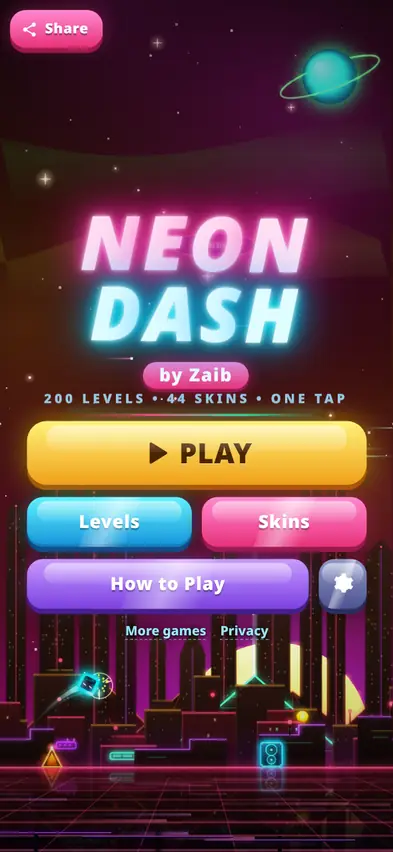
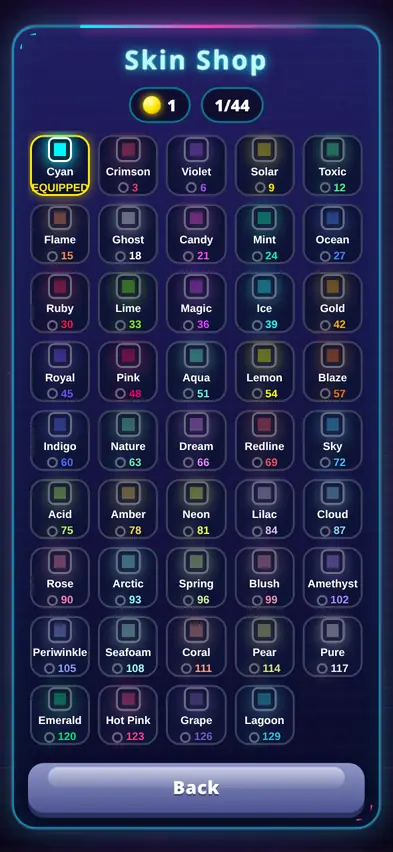
Coins buy cube skins. There are 44 in total, starting with Cyan (free), then Crimson for 3 coins, Violet for 6, Solar for 9, and so on in steps of 3 up to Lagoon at 129. Skins only change your cube's colour and glow, never how it plays. Collecting coins in the air as well as finishing levels is the quickest way to fill the shop.
For parents
Neon Dash is simple to understand and has no reading needed once you have seen the How to Play card. Runs are short and retrying is instant, which is good for short play sessions. It can be fast and flashy, with screen shake and glowing effects, and the vibration and music can be switched off in Settings. The game pauses itself if you switch to another tab, and there is a countdown before it resumes.
What changed after testing
The look got two big upgrades: brighter neon effects for the cube, more detailed obstacles, three layers of moving city, glow and reflections on the floor, then themed sections with landmarks and a city skyline drawn especially for phones held upright. The menus were polished too.
FAQ
Is Neon Dash hard?
Level 1 is fair, but our first tries ended at 21% and 29%. Later levels are faster. Because layouts never change, you improve quickly with practice.
What does holding the button do?
It makes the cube jump again as soon as it lands, which helps on rows of spikes.
Can I stand on the purple blocks?
No. Touching a block ends the run, so jump over them.
How do I unlock new levels?
Finish a level to unlock the next one. You also get 5 coins.
Is my progress saved?
Yes. Unlocked levels, best percentages, coins and skins are saved on your device.