Block Glide Guide: How to Slide Blocks Out, Earn 3 Stars and Use Boosters
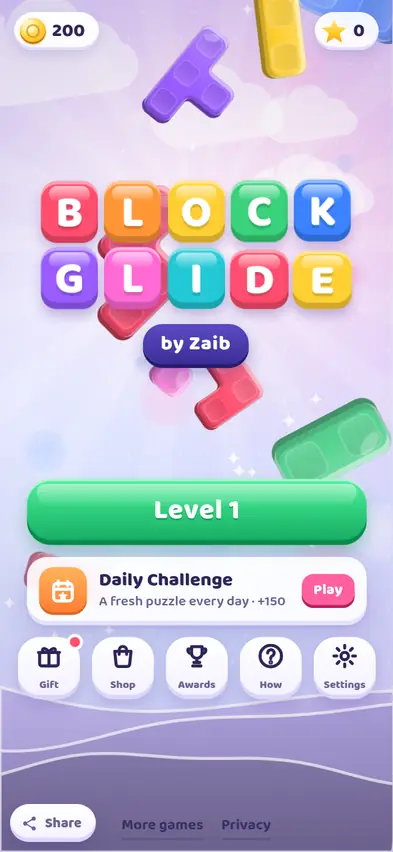
Block Glide is a calm sliding puzzle. Chunky clay blocks sit on a small board, and coloured gates wait on the walls. Slide each block out through a gate of its own colour until the board is empty. This guide covers the rules, our first levels, and tips for the tricky blocks that turn up later.
By Zaib · Updated 20 October 2026 · Free to play, no download
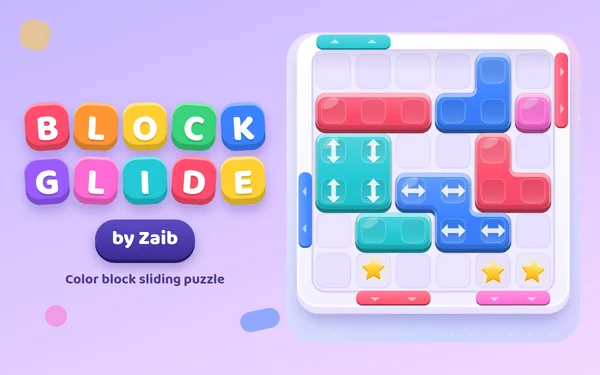
Block Glide fits a lot of thinking onto a small board. Every block is a soft clay shape, a bit like the pieces in a falling-block game, and the walls around the board have coloured gates. Drag a block to the gate of its own colour and, as long as it fits through the gate, it whooshes off the board. Empty the board and you win.
It is gentle enough for children to pick up in seconds, and gets surprisingly crafty later on.
Our first two levels
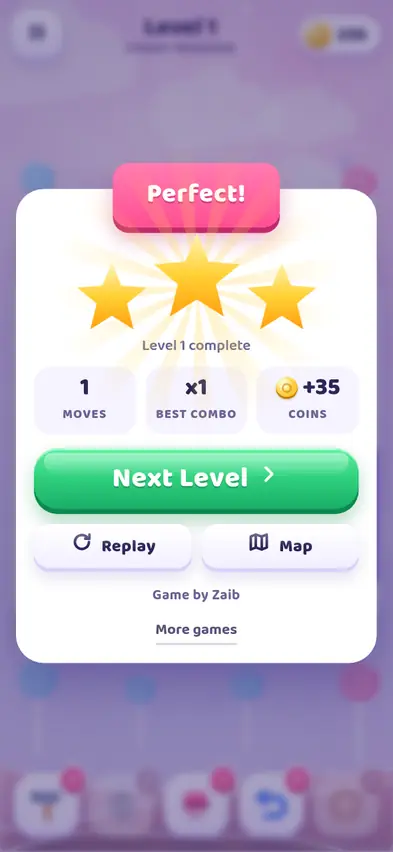
Level 1, Candy Meadow, has one purple block sitting on the right wall and a purple gate two rows lower. A pointing hand shows you what to do. We dragged the block straight down, and the moment it lined up with the gate it slid out. One move, three stars and +35 coins, with a big "Perfect!" banner.
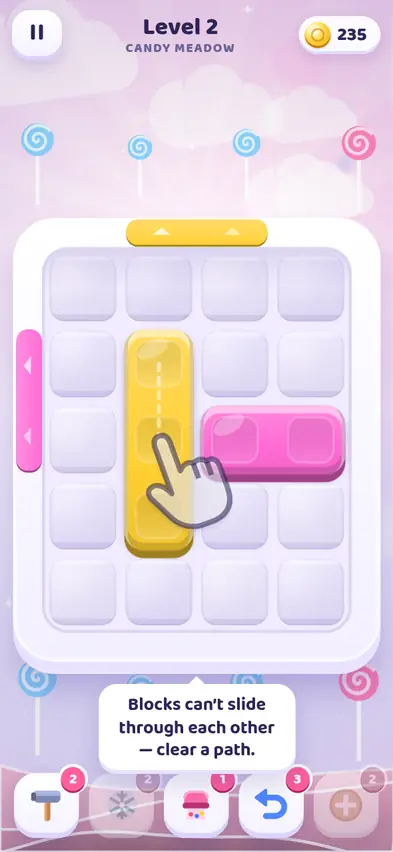
Level 2 teaches the most important idea in the game. A tall yellow block stands in the middle with a yellow gate above it, and a pink block lies beside it with a pink gate on the left wall. The yellow block is in the pink block's way. So yellow goes up and out first, then pink slides left. On our first try we dragged the pink block a little carelessly and it moved up a row instead of left. Luckily that row still lined up with the pink gate, and it came out on the next drag. Two moves, three stars.
The lesson: drag firmly in one direction. The game follows the direction of your finger, so a wobbly diagonal drag can send a block the wrong way.
The rules in one minute
- Drag a block to slide it. It keeps going until it hits a wall or another block.
- Blocks cannot pass through each other, so you often need to move one block out of the way first.
- A block leaves when it reaches a gate of the same colour and fits within the gate's width. A three-wide block will not fit through a two-wide gate.
- Clearing several blocks quickly gives a combo.
- Some levels count your moves, others have a timer. On timed levels, the clock only starts on your first move, so you can study the board for as long as you like.
How stars work
| Level type | 3 stars | 2 stars |
|---|---|---|
| Move limit | Within one move of the target | Within about half your spare moves |
| Timer | 40% or more of the time left | 15% or more of the time left |
| No limit | Within two moves of the target | Within six moves of the target |
If you run out and choose to continue, the level gives at most 1 star. Using a booster does not take stars away.
The special blocks, chapter by chapter
There are 160 levels in 8 chapters of 20 levels each, and most chapters bring a new idea:
- Candy Meadow, Learn to glide. Plain blocks and gates.
- Frosty Peaks, Ice blocks. A frozen block shows a number. Clear that many other blocks to thaw it before it can move.
- Lemon Grove, Locks & keys. Locked blocks are chained in place until the block carrying the key leaves the board.
- Spin Studio, Rotating blocks. Blocks with a swirl turn when you tap them, 90 degrees at a time, so a shape that does not fit can be spun until it does. Each turn costs a move.
- Rainbow Bay, Shifting gates. Some gates change colour as you move. Little bubbles show the next colour and how many moves are left, so timing matters.
- Fizz Factory, Bombs! Bomb blocks count down with every move. Clear them before they reach zero.
- Moon Garden, Everything mixed.
- Star Palace, Masters only.
Along the way you also meet one-way blocks with arrows (they only slide left and right, or up and down), two-colour layered blocks (send it through the outer colour's gate to peel it, then out through the inner colour's gate), and stars on the board that pay bonus coins when any block slides over them.
Boosters and when to use them
| Booster | What it does | Shop price |
|---|---|---|
| Hammer | Smashes any one block | 120 |
| Freeze | Stops the timer for 12 seconds | 90 |
| Vacuum | Removes every block of one colour | 180 |
| Undo | Takes back your last move | 60 |
| Extra | +5 moves, or +15 seconds on timed levels | 100 |
You start with a few of each. Undo is the one to use most: it is cheap and fixes a slip without restarting. Save the Vacuum for crowded boards where one colour is scattered all over the place.
Daily Challenge
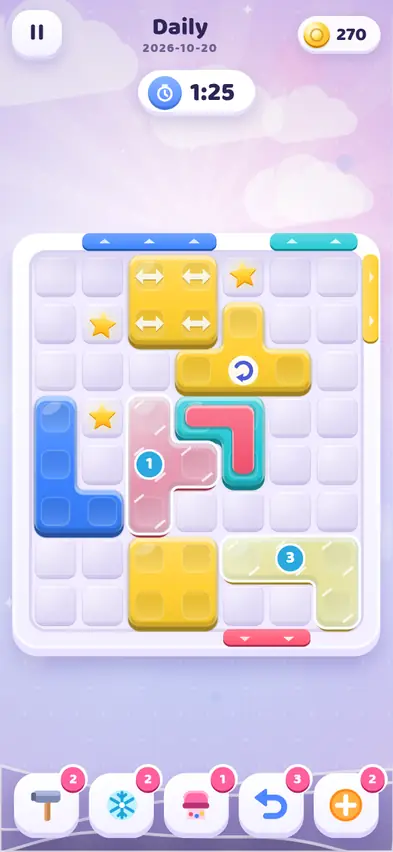
Every day there is a fresh Daily Challenge board, made right in the game. Today's (20 October) had a 1:25 timer and almost every special block at once: arrows, ice, a spinner, a two-colour block and three stars to collect. Your first daily win of the day pays 150 coins plus a bonus for your streak, up to 220 coins once you reach a 7-day streak. Replays pay a small amount.
Tips
- Look for the block that is in everyone's way and move it first.
- Count gate widths. A gate two squares wide only takes blocks that are one or two squares across on that side.
- On timed levels, plan before you touch anything. The clock waits for your first move.
- Thaw ice early by clearing easy blocks first.
- Colour-blind symbols can be turned on in Settings if colours are hard to tell apart.
The shop
Coins also buy looks. There are 6 block skins, including Candy Gloss (300), Toy Bricks (500), Jelly (500), Block Buddies with blinking faces (700) and Gemstone (900), plus 6 colour themes. They change only how the board looks.
What changed after testing
The game was tuned to fit phones held sideways, with boosters moving to the right side in landscape. The results card was adjusted so its buttons always fit, and a crash that could happen when the window was resized was fixed. Saves were also strengthened so progress is kept safely between visits.
FAQ
Can every level be beaten?
Yes. Every level can be cleared within its timer or move limit.
Why won't my block go out of the gate?
Either the colour does not match, or the block is wider than the gate on that side. Try rotating it if it has a swirl.
When does the timer start?
On your first move.
Does using a booster cost me stars?
No. Only continuing after running out limits you to 1 star.
Is my progress saved?
Yes, on your device.